AI Roblox Avatar Generator Skin & Outfit Maker
Type an idea or upload a photo, and AI makes a Roblox skin for your avatar: a full outfit, a Shirt or Pants. Try the outfit on a 3D Roblox avatar first, walking, from every side, then download the files.
- 3D preview
- R6 and R15
- PNG templates
- Outfit editor
Describe it
Roblox outfits and skins people made
Open the library ›AI Roblox Avatar Generator: How it works
- 1
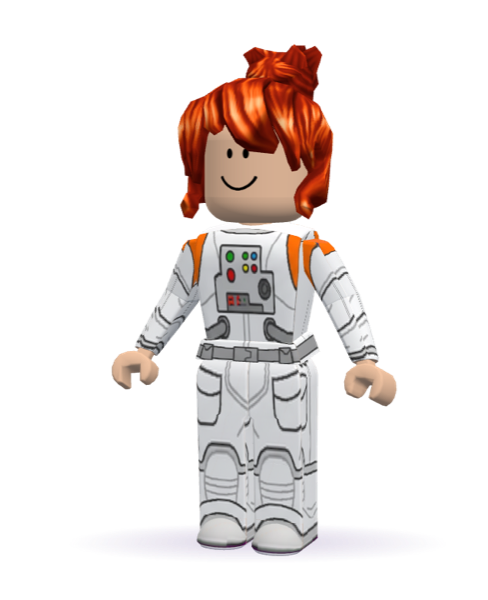
A white astronaut suit with orange shoulder panels and padded gloves
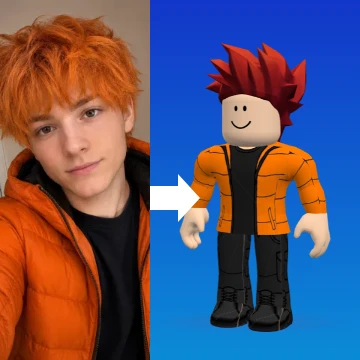
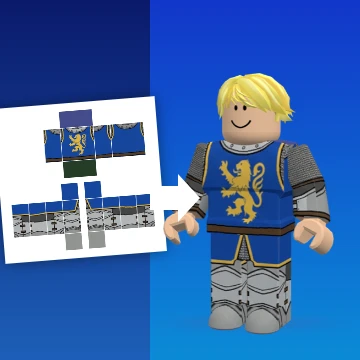
Medieval knight in silver armourCosy orange puffer jacket and jeans
Type it or add a photo
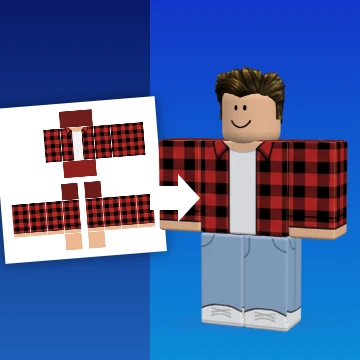
A sentence like “red flannel over a white tee”, or a photo of the outfit you want.
- 2
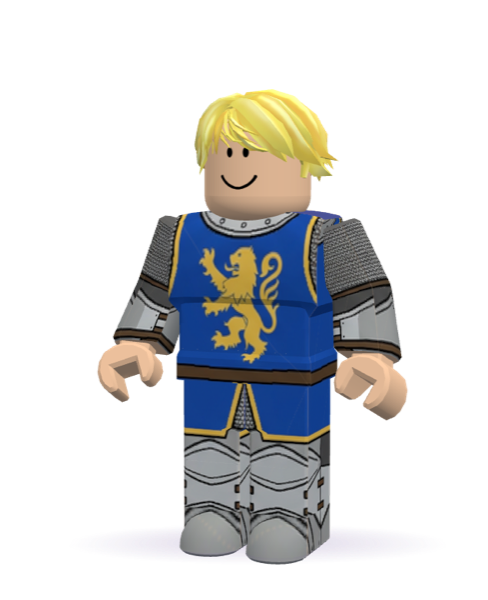
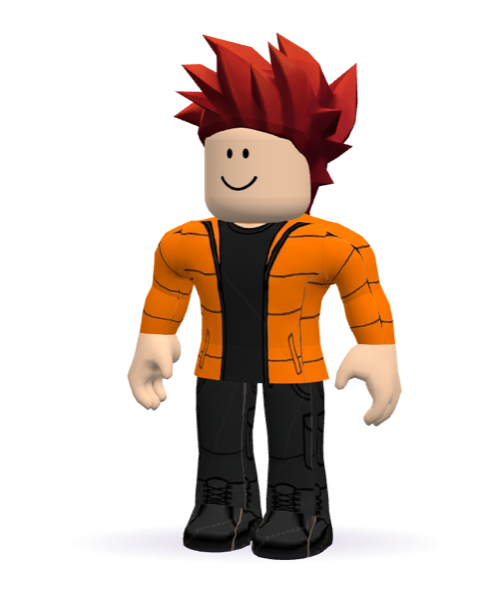
Try it on in 3D
Your avatar wears it on a real Roblox body: turn it round, watch it walk, check every side.
- 3
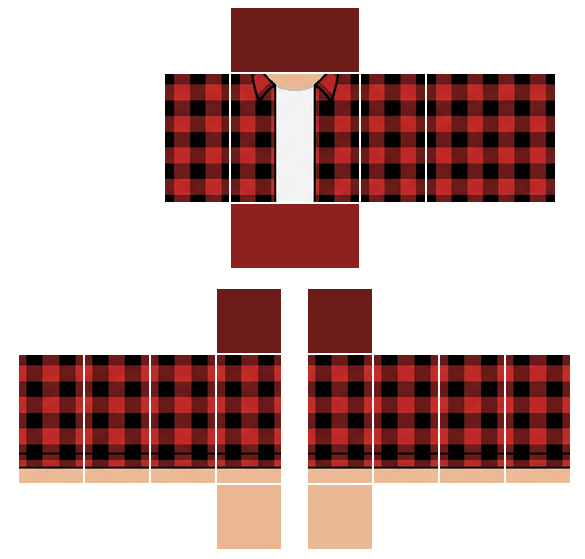
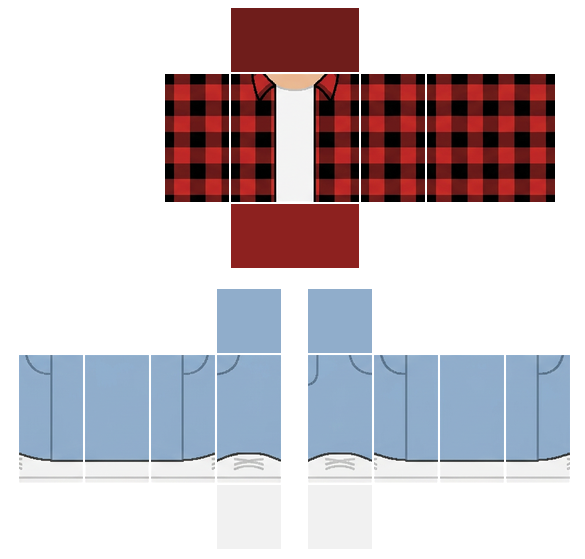
Download and upload
shirt.png and pants.png in Roblox's templates, ready for Creator Hub.
Roblox skin maker and avatar outfit maker for classic clothing
Classic clothing is still what most Roblox avatars wear: a Shirt that wraps the torso and arms, and Pants for the legs. Together, they are the Roblox skin players see. Each one is a flat PNG folded around a blocky body. That's why designing a Roblox outfit by hand means painting a dozen rectangles that have to line up at every edge.
Avatar RBX is an AI Roblox avatar generator, so it does the painting for you. First, describe the outfit or show it a photo. Then the AI draws the whole avatar in four views — front, back and both sides — and cuts every visible face into its exact rectangle of Roblox's template. Also, the faces no view shows, like the inside of a sleeve, are filled to match, so the Roblox skin looks right from every side.
 See your Roblox skin in 3D before you upload
Uploading costs Robux, so the preview matters. Every Roblox outfit goes straight onto a 3D avatar you can drag round and snap to the front, back or sides. Then set it walking to see the inner arms and legs. You can also switch between R6 and R15, because the R15 avatar bends at the joints Roblox's template marks.
 A Roblox outfit maker for players and creators
 Players: wear the Roblox skin you imagined instead of the one someone else made.
- Creators: dress avatars for videos and games, or make Roblox outfits for a group.
- Photo to outfit: copy a look from a photo onto your avatar, for example a real jacket, a costume or a uniform.
 An AI Roblox avatar generator that makes real clothes
Most Roblox avatar makers let you pick from presets or paint pixels by hand. The AI Roblox avatar generator starts from your idea instead. For example, write “red varsity jacket with white sleeves and black cargo pants”, or upload a picture of an outfit you like. Then the AI draws it as a classic Shirt and Pants that fit Roblox’s template to the pixel. As a result, you see it on a 3D avatar straight away, walking and from every side, before you spend any Robux on an upload.
 Roblox skin maker, avatar maker and outfit maker in one
Players call it a Roblox skin, an outfit or a fit. Whatever the word, it comes down to the same two files: a Shirt for the torso and arms and Pants for the legs. So make both together as a full outfit, or one at a time with the Roblox shirt maker and the Roblox pants maker. Have a photo instead of an idea? Then photo to outfit copies the clothes in it.
 Preview your Roblox skin on the avatar body you use
Classic clothing is drawn once and worn by every body. However, it doesn’t look the same on all of them. That's why the preview shows your Roblox skin on the classic blocky body on R6 and R15, and also on Roblox’s Robloxian 2.0, Man, Woman, Boy and Girl bodies, with real Roblox hair and hats and Roblox’s own walk. In short, what you see is what your avatar will wear in a game.
 How to make a Roblox skin in four steps
- 1First, describe the outfit or add a photo.
- 2Then watch the AI Roblox avatar generator dress the 3D avatar in about half a minute.
- 3Next, download shirt.png and pants.png.
- 4Finally, upload them in Creator Hub under Avatar Items → Classics, then wear them.
 Tips for a better Roblox skin and outfit
- Name the colours. For example, “navy hoodie with a mustard stripe” beats “cool hoodie”.
- Say what goes where. Sleeves, collar, pockets and shoes are all on the template.
- Leave out logos and text. Roblox moderation rejects brand marks, so we ask for clothing without them.
- Change, don’t restart. Under a finished outfit, say what to change and keep the rest.
AI Roblox Avatar Generator FAQ
What can I make with the Roblox skin maker?
A full Roblox outfit (a classic Shirt and Pants that match), or a Shirt or Pants on its own. Start from words, from a photo, or both: a photo with “but in green” works too.
What is an AI Roblox avatar generator?
It's a tool that makes the clothes for your Roblox avatar with AI. First, you type an idea or add a photo. Then it draws a classic Shirt and Pants in Roblox’s own template and shows them on a 3D avatar before you upload.
Is Avatar RBX a Roblox skin maker?
Yes, in the way most players mean it: a Roblox skin is the outfit an avatar wears. Avatar RBX makes that outfit, the Shirt and Pants, as PNG files you upload to Roblox. It doesn’t change your avatar’s body or face.
What photo works best for a Roblox outfit?
One person, in good light, from head to at least the knees. Then we dress the avatar in what they're wearing and invent the back and anything out of frame to match.
Can I change a Roblox outfit afterwards?
Yes. Under a finished outfit, say what to change — “make the jacket red” — and you get a new outfit with everything else kept. The original stays in My outfits.
Which Roblox avatar bodies can I preview it on?
The classic blocky body on R6 and R15, and also Roblox’s Robloxian 2.0, Man, Woman, Boy and Girl bodies on R15, with real hair and hats. However, classic clothing stretches a little on the shaped bodies, the same as it does in Roblox.
How do I put the Roblox skin on my avatar?
Download the PNG, open Creator Hub, go to Avatar Items → Classics and upload it as a Shirt or Pants. Each upload costs 80 Robux and your account needs ID verification. The steps are under every finished outfit.
Will it pass Roblox moderation?
We ask for clothing without text, logos or brand marks, because that is what moderation most often rejects. Still, whether an item is approved is Roblox's decision.
Is the AI Roblox avatar generator made by Roblox?
No. Avatar RBX is an independent AI Roblox avatar generator and is not affiliated with, endorsed by or sponsored by Roblox. We only use the name to say what the files are for.
Can I turn a photo of myself into a Roblox outfit?
Yes. Upload a photo of what you’re wearing and we draw the same clothes as a Shirt and Pants, back included. The photo to outfit page shows how.
How long does it take to make a Roblox skin?
About half a minute for a Roblox outfit, and you watch it land on the 3D avatar.
What does it cost?
Making an outfit uses credits from a plan, a credit pack or a gift card, and a generation that fails gives its credits back. Prices are on the pricing page.
What files does the Roblox outfit maker give me?
shirt.png and pants.png, each 585×559 in Roblox’s classic clothing template, ready for Creator Hub.
Can I make just a shirt or just pants?
Yes: the shirt maker and the pants maker each make one piece that matches what you already wear.
Can I download Roblox outfits other people made?
Yes. Every Roblox outfit published to the gallery can be tried on in 3D and downloaded. Also, press Remix on one you like to start your own from it.
Does the AI Roblox avatar generator work on phones?
Yes. The site works in any modern phone browser, and the 3D preview turns with a swipe. There is also an iPhone app.
Your next outfit is one sentence away
Describe it, or show us a photo. We'll dress the avatar so you can see it before you upload.
Generate outfit